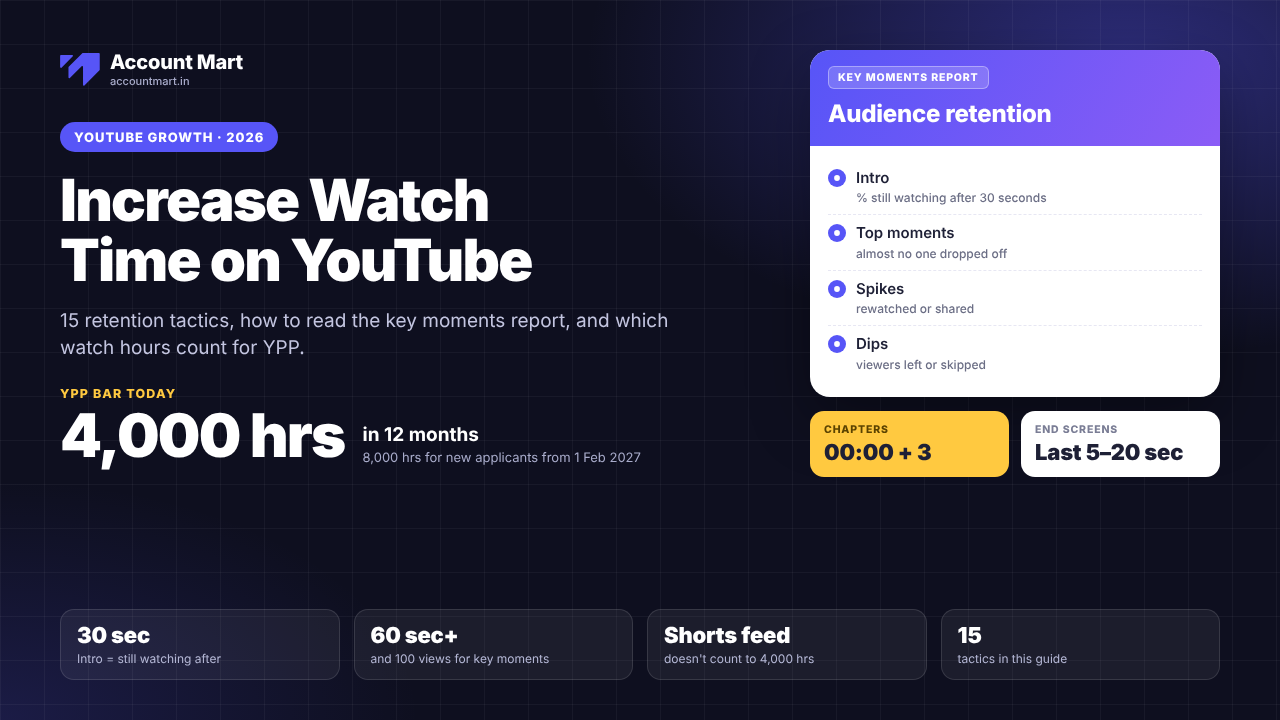
Quick answer: To increase watch time on YouTube, keep the people who already click from leaving early, then give them an obvious next video. Find the exact moments viewers drop off in the audience retention report, deliver the title's promise in the first seconds, cut slow parts, and use chapters, end screens and series playlists to move viewers to more of your videos. For the YouTube Partner Program, only qualified watch hours from public long-form videos count: 4,000 hours in 12 months today, and 8,000 hours in 365 days for new applicants from 1 February 2027.
· 9 min read · By Ridhaan Choudhary, Founder & CEO
Key takeaways
- YouTube says recommendations use viewing behaviour together with likes, dislikes, subscriptions and satisfaction surveys, so watch time from happy viewers is what helps.
- The "Key moments for audience retention" report shows your Intro (how many are still watching after 30 seconds), Top moments, Spikes and Dips for videos of 60 seconds or more with at least 100 views.
- Chapters need a first timestamp of 00:00, at least three timestamps and chapters of 10 seconds or more. End screens go in the last 5–20 seconds of videos at least 25 seconds long.
- Watch hours from Shorts in the Shorts feed, private, unlisted or deleted videos, and ads don't count toward YPP.
- From 24 August 2026 view counts start from the first frame, but average view duration and retention are still calculated on engaged views.
What watch time is, and why YouTube cares
Watch time is the total time people spend watching your videos. Two related numbers explain it: average view duration (how long a typical view lasts) and audience retention (what share of viewers are still watching at each moment). A video with fewer views but much longer viewing can add more watch time than a popular video people abandon quickly.
YouTube doesn't chase minutes for their own sake. Its explainer says recommendations rely on "viewing behaviour, likes, dislikes, subscriptions and feedback, including from satisfaction surveys" (How YouTube Works). In practice, that means the goal is watch time from viewers who are glad they watched. Padding a video to make it longer usually backfires: retention falls, and so does the reach of the next upload.
Watch time for monetization: what counts
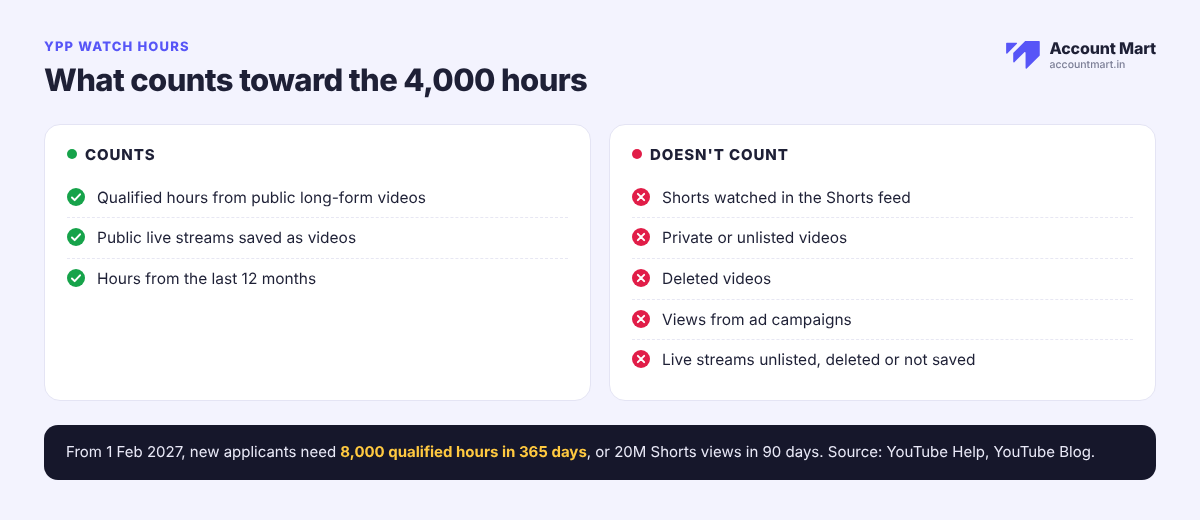
For the YouTube Partner Program, YouTube counts qualified watch hours from long-form videos you have set to public. The current bar is 1,000 subscribers plus 4,000 qualified watch hours in the last 12 months, or 10 million qualified Shorts views in 90 days (YouTube Help). These don't count toward the 4,000 hours:
- Shorts watched in the Shorts feed.
- Private, unlisted or deleted videos.
- Views from ad campaigns.
- Live streams that are unlisted, deleted or not converted to a video on demand.
From 1 February 2027, new applicants for ad revenue sharing need 8,000 qualified watch hours in the last 365 days, or 20 million qualified Shorts views in 90 days (YouTube Official Blog). Channels already in the programme are not affected by the higher entry bar. Our guide on getting 4,000 watch hours covers the monetization maths in detail; this guide is about keeping viewers watching.
Start with your data: the retention report
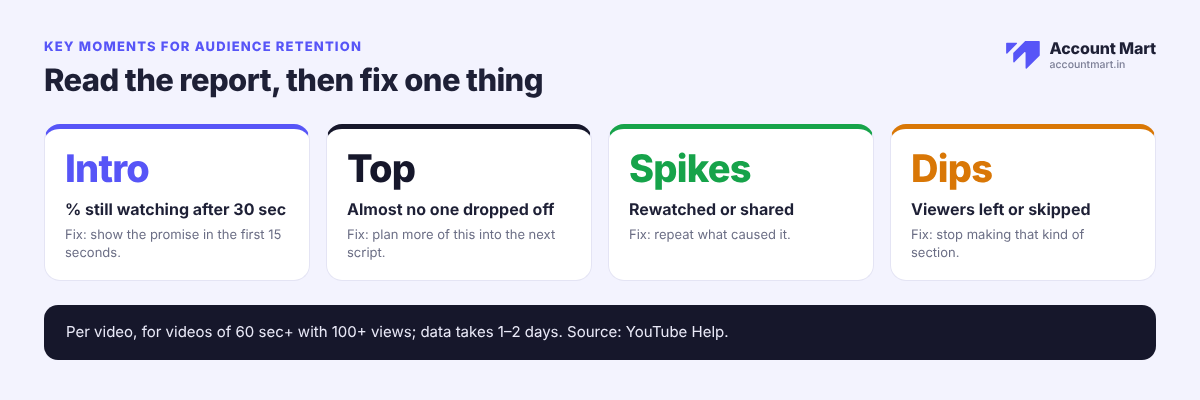
Guessing why people leave wastes months. YouTube Studio tells you. Open Content, choose a video, open Analytics and look for the audience retention report on the Overview or Engagement tab. Its "Key moments for audience retention" card shows four things (YouTube Help):
- Intro: the percentage of your audience still watching after the first 30 seconds.
- Top moments: parts where almost no one dropped off.
- Spikes: parts that were rewatched or shared.
- Dips: parts where viewers abandon or skip.
The report works per video, needs a video of at least 60 seconds with at least 100 views, and usually takes one to two days to process. Not every video shows all four moments.
One more detail matters after the 2026 view-count change. From 24 August 2026, YouTube counts a view from the first frame in every format, but YouTube says CTR, average view duration and retention are still calculated on engaged views (YouTube Official Blog). Your retention maths didn't change, even if your view counts went up.
15 ways to increase watch time
1. Deliver the title's promise in the first 15 seconds
Most early drop-off happens when the opening doesn't match what the title and thumbnail promised. Show the result, the problem or the question straight away. If your Intro number is weak, this is the first fix.
2. Cut the warm-up
Logo animations, long greetings and "before we start" sections sit exactly where your Intro number is measured. Move channel housekeeping to the end, or drop it.
3. Open a loop and close it late
Tell viewers what they will get by the end, such as the final result, the winner or the answer, and deliver it near the end. A clear reason to stay beats any editing trick.
4. Fix your dips, one video at a time
Open the Dips on your last five videos and write down what was on screen. Patterns appear quickly: a long explanation, a sponsor read, a repeated point, a slow setup. Stop making that kind of section.
5. Copy your top moments and spikes
Spikes are parts people rewatched or shared. Whatever caused them, a demo, a reveal or a punchline, is what your audience came for. Plan more of it into the next script.
6. Change something on screen often
New angles, B-roll, on-screen text and simple zooms keep attention without changing your content. Long static shots are where many viewers drift away.
7. Add chapters
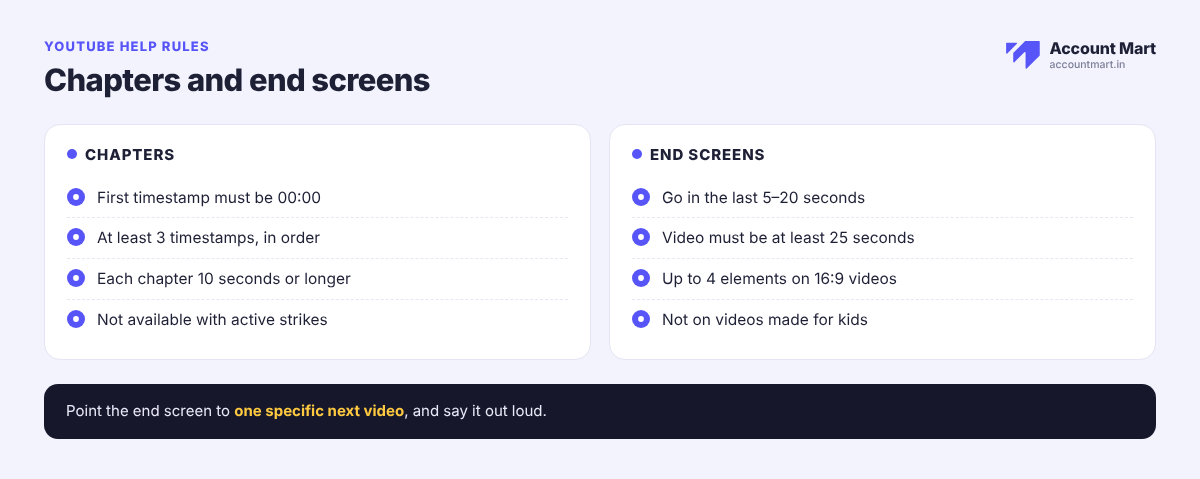
Chapters help viewers find what they want instead of leaving. Add timestamps to the description: the first must be 00:00, you need at least three in ascending order, and each chapter must be at least 10 seconds long. Chapters aren't available if the channel has active strikes (YouTube Help).
8. Use end screens on every eligible video
End screens can be added to the last 5–20 seconds of a video that is at least 25 seconds long, with up to four elements on a standard 16:9 video. They aren't available on videos set as made for kids (YouTube Help). Point to one specific next video rather than a generic "subscribe" card.
9. Build series playlists
Group videos that are meant to be watched in order, such as part 1, part 2 and part 3, or a full course. A viewer who finishes one episode has a natural reason to play the next.
10. Say the next video out loud
"If you want the setup for this, watch this video next" works better than a silent card, because it gives a reason. Record the line so it lands inside the end screen window.
11. Pin a comment that points to the next step
A pinned comment with the next video or the full playlist catches viewers who scroll down while watching, especially on mobile.
12. Make videos as long as the topic needs
Longer videos can add more watch time, but only if the extra minutes are worth watching. A tight 9-minute video with strong retention often beats a stretched 20-minute version.
13. Go live, and keep the stream public
Live streams can add a lot of watch time from your most loyal viewers. For YPP, streams count only if they stay public and are saved as a video afterwards, not unlisted or deleted.
14. Use Shorts as trailers
Watch time in the Shorts feed doesn't count toward the 4,000 hours, but a Short can send viewers to a long video. Link a related video to each Short and make the Short a teaser for it.
15. Stay on a topic people come back for
Returning viewers already know what they like about you. A channel that keeps one clear topic gives viewers, and YouTube's systems, a reason to bring people back. If you are changing direction, do it gradually.
Mistakes that quietly kill watch time
- Clickbait the video can't pay off. High clicks with fast exits teach YouTube the video disappoints people.
- Bad audio. Many viewers forgive average video but leave on noisy or uneven sound.
- Mixing unrelated topics on one channel, so each video reaches a different crowd.
- Making old winners unlisted or deleting them. Their watch hours stop counting toward YPP.
- Buying views or watch time. Fake engagement breaks YouTube's rules and can lead to strikes or removal from YPP. It also makes your analytics useless for decisions.
- Ignoring the data. If you never open the retention report, you will keep repeating the same dips.
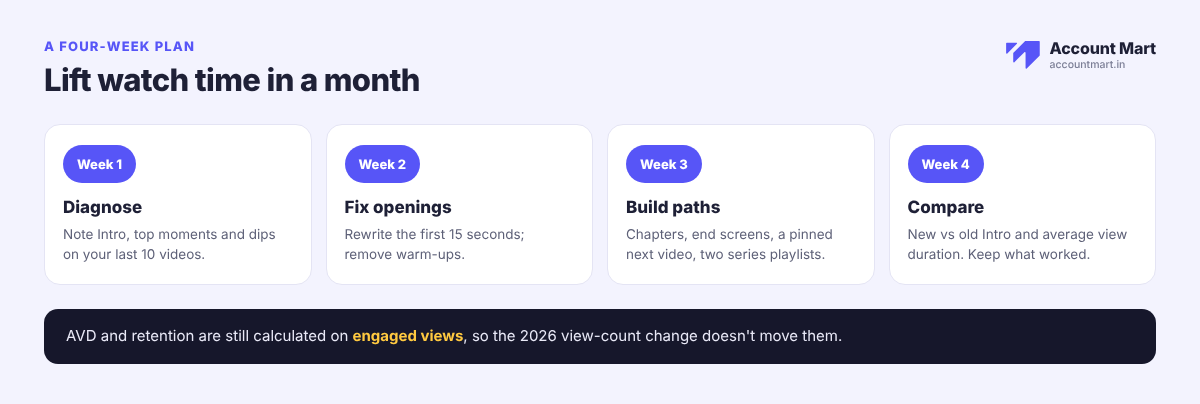
A four-week plan to lift watch time
- Week 1, diagnose: note the Intro, Top moments and Dips for your last ten videos, and list the three most common reasons for dips.
- Week 2, fix openings: rewrite the first 15 seconds of your next two scripts so they show the promise immediately. Remove warm-ups.
- Week 3, build paths: add chapters, end screens and a pinned next-video comment to your top 20 videos, and create two series playlists.
- Week 4, compare: put the new videos' Intro and average view duration next to the old ones. Keep what worked and repeat the cycle.
Watch time and what a channel is worth
Watch time is also one of the first things buyers check. A channel with steady retention and a healthy 12-month watch-hours total is closer to monetization, or safer inside it, than a channel with spiky views and weak retention. If you are buying, ask for a live screen share of Analytics rather than screenshots; our guide to verifying YouTube Analytics before buying shows what to look at. If you would rather start with the hours already done, see channels with 4,000 watch hours, or try the channel value calculator on your own channel.
Frequently Asked Questions
What counts as watch time on YouTube?
All the time viewers spend watching your videos counts in Analytics. For YPP, only qualified watch hours from public long-form videos count, plus public live streams saved as videos.
Do Shorts count toward the 4,000 watch hours?
No. Watch hours from Shorts viewed in the Shorts feed don't count toward the 4,000-hour bar. Shorts channels qualify through the Shorts views path instead.
What is a good audience retention rate?
There is no single number. Retention depends on video length and topic. Compare each video with your own recent videos and work on the Intro and Dips first.
Does deleting a video remove its watch hours?
Watch hours from deleted, private or unlisted videos don't count toward YPP. Think twice before removing older videos that still get views.
Do chapters increase watch time?
They help viewers jump to the part they want instead of leaving, which usually protects watch time. Some viewers will skip sections, so keep each chapter worth watching.
Do live streams count toward watch hours?
Yes, if the stream is public and saved as a video afterwards. Unlisted or deleted streams, or streams not converted to a video, don't count.
How quickly will changes show in Analytics?
The key moments report usually takes one to two days to process. Judge changes over several uploads, not one.
What changes in 2027?
From 1 February 2027, new YPP applicants need 8,000 qualified watch hours in 365 days, or 20 million qualified Shorts views in 90 days. Channels already in YPP keep their status but must accept the updated terms in YouTube Studio by 31 January 2027.
Skip the slow start
Building watch hours takes months. If you would rather start with an audience, browse channels on the Account Mart buy page, compare prices on the YouTube channel price index, or call +91 72400 00934 / +91 72400 00935 / +91 72400 00936. Want to sell your channel instead? Get a free valuation on the sell accounts page. Related reading: how the Shorts algorithm works and YouTube SEO.